

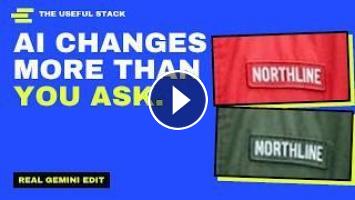
I asked Gemini to change only the colour of a jacket and keep everything else identical, including any text. The jacket turned green. The name patch went from NORTHLINE to MORTHLINE. This video explains how AI edits part of a photo, why the rest of the picture can change too, and what to put in your prompt. Real edits, real results, prompts you can copy.
WHAT IS IN IT
- Two ways to edit part of a picture: a mask (inpainting) or plain words (instruction-based editing)
- Why untouched areas can still change: images are squeezed into a small grid, edited, then repainted (Stable Diffusion example), plus noise-and-denoise editing (SDEdit) and instruction models that take the whole original as a guide (InstructPix2Pix)
- Four real Gemini edits: jacket colour (patch text drifted), bakery sign (chalkboards went blank), desk background (desk stayed), honey jar (label kept word for word)
- What we measured: away from the jacket, the average pixel still moved by about 4 out of 255
COPY-PASTE PROMPTS
1. Using the provided image, change only the jacket to forest green. Keep everything else exactly the same.
2. Keep the face, pose, background, lighting and the words on the patch exactly as they are.
3. Remove only the year and the slogan on the sign. Leave the chalkboards alone.
4. Now make the sign a shade darker. Keep everything else exactly the same.
5. (Not a prompt) Compare before and after, zoom in on text, hands and edges, and if you need untouched pixels paste the changed part back over your original in a photo editor.
Tip from the video: name the thing and the change, name what to keep, avoid sweeping words like "all other text" or "the background", one edit per message.
SOURCES (each checked 29 Sep 2026; full claim-by-claim list in SOURCES.md)
- Hugging Face Diffusers, Inpainting: https://huggingface.co/docs/diffusers/using-diffusers/inpaint
- RePaint (Lugmayr et al., 2022): https://arxiv.org/abs/2201.09865
- InstructPix2Pix (Brooks et al., 2022): https://arxiv.org/abs/2211.09800
- SDEdit (Meng et al., 2021): https://arxiv.org/abs/2108.01073
- Latent Diffusion Models (Rombach et al., 2022): https://arxiv.org/abs/2112.10752
- Stable Diffusion with Diffusers (latent grid, 8x reduction): https://huggingface.co/blog/stable_diffusion
- Pixel-Equivalent Latent Compositing (latent inpainting colour shifts): https://arxiv.org/abs/2512.05198
- OpenAI image generation guide (mask is guidance): https://developers.openai.com/api/docs/guides/image-generation
- OpenAI input fidelity cookbook: https://developers.openai.com/cookbook/examples/generate_images_with_high_input_fidelity
- Google Developers Blog, How to prompt Gemini 2.5 Flash Image: https://developers.googleblog.com/en/how-to-prompt-gemini-2-5-flash-image-generation-for-the-best-results/
- Google Blog, Nano Banana Pro prompt tips: https://blog.google/products-and-platforms/products/gemini/prompting-tips-nano-banana-pro/
- Gemini API image generation docs: https://ai.google.dev/gemini-api/docs/image-generation
HOW WE MADE IT / DISCLOSURES
- The Gemini images are genuine outputs from our own tests on 29 Sep 2026 (Gemini app, Pro), first result of each single run. They show one attempt each, not a general ranking. All people, brands and businesses in the images (Northline, Harbour Bakes, Meadowbrook Wildflower Honey) are fictional, and the source photos were AI-generated.
- Narration is an AI voice (Google Gemini text-to-speech, "Puck"). Music and sound effects are synthesised.
- Diagrams are illustrations made by us: the mask animation, the grid diagram and the noise strip are not recordings of a model run. The "about 4 out of 255" figure is our own measurement on the real files (method: `02-assets/tools/measure.py`).
- What Gemini and ChatGPT do internally is not fully published; where we suggest a reason (for example "it looks like it treated the desk as part of the subject", or "things you name get protected better") it is our guess and is labelled as such.
- Not professional advice. Tested with the apps as shown on screen.
#AIImageEditing #Gemini #AIPrompts
WHAT IS IN IT
- Two ways to edit part of a picture: a mask (inpainting) or plain words (instruction-based editing)
- Why untouched areas can still change: images are squeezed into a small grid, edited, then repainted (Stable Diffusion example), plus noise-and-denoise editing (SDEdit) and instruction models that take the whole original as a guide (InstructPix2Pix)
- Four real Gemini edits: jacket colour (patch text drifted), bakery sign (chalkboards went blank), desk background (desk stayed), honey jar (label kept word for word)
- What we measured: away from the jacket, the average pixel still moved by about 4 out of 255
COPY-PASTE PROMPTS
1. Using the provided image, change only the jacket to forest green. Keep everything else exactly the same.
2. Keep the face, pose, background, lighting and the words on the patch exactly as they are.
3. Remove only the year and the slogan on the sign. Leave the chalkboards alone.
4. Now make the sign a shade darker. Keep everything else exactly the same.
5. (Not a prompt) Compare before and after, zoom in on text, hands and edges, and if you need untouched pixels paste the changed part back over your original in a photo editor.
Tip from the video: name the thing and the change, name what to keep, avoid sweeping words like "all other text" or "the background", one edit per message.
SOURCES (each checked 29 Sep 2026; full claim-by-claim list in SOURCES.md)
- Hugging Face Diffusers, Inpainting: https://huggingface.co/docs/diffusers/using-diffusers/inpaint
- RePaint (Lugmayr et al., 2022): https://arxiv.org/abs/2201.09865
- InstructPix2Pix (Brooks et al., 2022): https://arxiv.org/abs/2211.09800
- SDEdit (Meng et al., 2021): https://arxiv.org/abs/2108.01073
- Latent Diffusion Models (Rombach et al., 2022): https://arxiv.org/abs/2112.10752
- Stable Diffusion with Diffusers (latent grid, 8x reduction): https://huggingface.co/blog/stable_diffusion
- Pixel-Equivalent Latent Compositing (latent inpainting colour shifts): https://arxiv.org/abs/2512.05198
- OpenAI image generation guide (mask is guidance): https://developers.openai.com/api/docs/guides/image-generation
- OpenAI input fidelity cookbook: https://developers.openai.com/cookbook/examples/generate_images_with_high_input_fidelity
- Google Developers Blog, How to prompt Gemini 2.5 Flash Image: https://developers.googleblog.com/en/how-to-prompt-gemini-2-5-flash-image-generation-for-the-best-results/
- Google Blog, Nano Banana Pro prompt tips: https://blog.google/products-and-platforms/products/gemini/prompting-tips-nano-banana-pro/
- Gemini API image generation docs: https://ai.google.dev/gemini-api/docs/image-generation
HOW WE MADE IT / DISCLOSURES
- The Gemini images are genuine outputs from our own tests on 29 Sep 2026 (Gemini app, Pro), first result of each single run. They show one attempt each, not a general ranking. All people, brands and businesses in the images (Northline, Harbour Bakes, Meadowbrook Wildflower Honey) are fictional, and the source photos were AI-generated.
- Narration is an AI voice (Google Gemini text-to-speech, "Puck"). Music and sound effects are synthesised.
- Diagrams are illustrations made by us: the mask animation, the grid diagram and the noise strip are not recordings of a model run. The "about 4 out of 255" figure is our own measurement on the real files (method: `02-assets/tools/measure.py`).
- What Gemini and ChatGPT do internally is not fully published; where we suggest a reason (for example "it looks like it treated the desk as part of the subject", or "things you name get protected better") it is our guess and is labelled as such.
- Not professional advice. Tested with the apps as shown on screen.
#AIImageEditing #Gemini #AIPrompts
- Категория
- AI Картинки
Выполните вход или зарегистрируйтесь для отправки комментария.
Комментариев нет.
Следующее
Auto
-
00:35

Change the Outfit. Change the Model. ✨ — Fashion Diffusion AI Virtual Try-On & AI Model#aifashion
-
06:42
This AI Edits Your Videos for You Invideo Editor
-
08:00
Why Making Money With YouTube Automation Is Easier Than You Think
-
00:51
Qwen Image 2.1 vs GPT Image 2 vs FLUX.2 Klein 9B: Which Edits Best?
-
02:29
AI is coming for more jobs than you think
-
00:17
Behind the scenes | viral edits in capcut
-
19:45
ChatGPT Work Is More Powerful Than You Think
-
00:37
These 3 websites are way more useful than you think.
-
14:01
ChatGPT’s New Features Change EVERYTHING! (ChatGPT Computer History & More)
-
18:58
Marc Andreessen Says ChatGPT Is Better Than 99% Of Doctors — Medicine Is About To Change
-
13:39

Best AI Tools For Research in 2026 (Beats ChatGPT & 0% Detection)
-
00:37

3 AI tools for programmers
-
00:55

The Best AI Tools For Content Creators
-
00:58

7 AI tools you NEED to try!
-
00:12

Best AI Tools For Hacker
-
11:15

10 Best AI Tools You MUST Try in 2025
-
00:28

The most popular AI tools right now... which one is best?
-
00:36

Best Free AI Tools for Research Papers & Essays | Write Smarter!
-
14:34

Google's NEW AI Tools Will BLOW YOUR MIND | Google I/O 2026
-
00:18

Best FREE AI Tools for Designers | Boost Your Creativity #ai #aitools #graphicdesign #designer
 Загрузка...