

n8n AI Image Generation with OpenAI and Telegram is a practical workflow for turning a simple image request into a generated image and automatically delivering and storing the result.
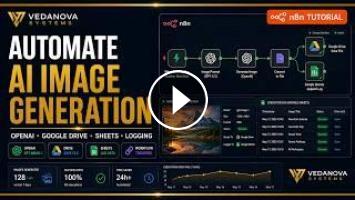
In this workflow, another n8n workflow passes an image title, image prompt, and Telegram chat ID into the automation. An AI agent powered by GPT-4.1 through OpenRouter expands the user's basic image prompt into a detailed, production-ready description covering the subject, setting, visual style, mood, lighting, and additional details.
The workflow then sends that generated prompt to the OpenAI Images API using the gpt-image-1 model to generate a 1024×1024 image.
Once the image is generated, n8n converts the returned base64 image data into a file. The workflow then performs multiple automated actions with the resulting image.
First, the generated image is sent directly to Telegram using the supplied chat ID, allowing the requester to receive the image automatically.
The image is also uploaded to Google Drive using the original image title as the filename. This provides centralized storage for generated AI images.
Finally, the workflow records the generated image in Google Sheets. The log stores the original request, generated image ID, Google Drive link, title, and content type, creating a simple marketing-team image log that can be used to keep track of generated assets.
### Workflow Highlights
• Triggered by another n8n workflow
• Accepts image title, image prompt, and Telegram chat ID
• Uses GPT-4.1 through OpenRouter for detailed image-prompt engineering
• Generates images through the OpenAI Images API
• Uses the gpt-image-1 image generation model
• Generates images at 1024×1024 resolution
• Converts base64 image data into a file
• Sends the generated image to Telegram
• Uploads the image to Google Drive
• Logs image metadata in Google Sheets
### Business Problem Solved
Creating AI images manually often requires repeatedly moving between an AI image generator, file storage, messaging platforms, and tracking spreadsheets. This n8n automation connects those steps into one workflow.
Instead of manually creating an image, downloading it, sending it to a team member, uploading it to storage, and recording the asset information, the workflow handles those steps automatically after receiving the initial request.
### Practical Use Cases
This workflow can be useful for marketing teams, content creators, automation developers, agencies, and businesses that need to generate and organize visual assets as part of an automated content process.
It can also serve as a reusable image-generation sub-workflow that other n8n automations can execute whenever an image needs to be created.
### Technologies Used
• n8n
• OpenAI Images API
• GPT-4.1
• OpenRouter
• gpt-image-1
• Telegram
• Google Drive
• Google Sheets
### Who Should Watch
This tutorial is especially useful for anyone learning n8n workflow automation, AI image generation, OpenAI API integrations, Telegram automation, or automated asset management.
You'll see how multiple services can be connected in n8n to create an end-to-end AI image workflow—from prompt enhancement and image generation to delivery, storage, and logging.
If you found this workflow useful, like the video, subscribe to Vedanova Systems, and comment below with the AI automation you'd like to see next.
You can also download the workflow and explore more automation templates here:
https://vedanova-systems.com/workflow/ai-image-generation-create-image
Visit the website to download both FREE and Premium n8n workflows and discover more AI, API, and business automation solutions.
#n8n #AIImageGeneration #OpenAI
In this workflow, another n8n workflow passes an image title, image prompt, and Telegram chat ID into the automation. An AI agent powered by GPT-4.1 through OpenRouter expands the user's basic image prompt into a detailed, production-ready description covering the subject, setting, visual style, mood, lighting, and additional details.
The workflow then sends that generated prompt to the OpenAI Images API using the gpt-image-1 model to generate a 1024×1024 image.
Once the image is generated, n8n converts the returned base64 image data into a file. The workflow then performs multiple automated actions with the resulting image.
First, the generated image is sent directly to Telegram using the supplied chat ID, allowing the requester to receive the image automatically.
The image is also uploaded to Google Drive using the original image title as the filename. This provides centralized storage for generated AI images.
Finally, the workflow records the generated image in Google Sheets. The log stores the original request, generated image ID, Google Drive link, title, and content type, creating a simple marketing-team image log that can be used to keep track of generated assets.
### Workflow Highlights
• Triggered by another n8n workflow
• Accepts image title, image prompt, and Telegram chat ID
• Uses GPT-4.1 through OpenRouter for detailed image-prompt engineering
• Generates images through the OpenAI Images API
• Uses the gpt-image-1 image generation model
• Generates images at 1024×1024 resolution
• Converts base64 image data into a file
• Sends the generated image to Telegram
• Uploads the image to Google Drive
• Logs image metadata in Google Sheets
### Business Problem Solved
Creating AI images manually often requires repeatedly moving between an AI image generator, file storage, messaging platforms, and tracking spreadsheets. This n8n automation connects those steps into one workflow.
Instead of manually creating an image, downloading it, sending it to a team member, uploading it to storage, and recording the asset information, the workflow handles those steps automatically after receiving the initial request.
### Practical Use Cases
This workflow can be useful for marketing teams, content creators, automation developers, agencies, and businesses that need to generate and organize visual assets as part of an automated content process.
It can also serve as a reusable image-generation sub-workflow that other n8n automations can execute whenever an image needs to be created.
### Technologies Used
• n8n
• OpenAI Images API
• GPT-4.1
• OpenRouter
• gpt-image-1
• Telegram
• Google Drive
• Google Sheets
### Who Should Watch
This tutorial is especially useful for anyone learning n8n workflow automation, AI image generation, OpenAI API integrations, Telegram automation, or automated asset management.
You'll see how multiple services can be connected in n8n to create an end-to-end AI image workflow—from prompt enhancement and image generation to delivery, storage, and logging.
If you found this workflow useful, like the video, subscribe to Vedanova Systems, and comment below with the AI automation you'd like to see next.
You can also download the workflow and explore more automation templates here:
https://vedanova-systems.com/workflow/ai-image-generation-create-image
Visit the website to download both FREE and Premium n8n workflows and discover more AI, API, and business automation solutions.
#n8n #AIImageGeneration #OpenAI
- Категория
- AI Картинки
Выполните вход или зарегистрируйтесь для отправки комментария.
Комментариев нет.
Следующее
Auto
-
05:21

Новая AI Схема для Telegram | Как заработать в Интернете 2026
-
00:38
Build a Whatsapp AI Agent for appointment handling (n8n Tutorial) #n8n #aiautomation
-
00:29
we created an n8n automation to generate viral ai videos #n8n #free #automation #ai
-
01:28
Этот бот сам ведет твой календарь #автоматизация #telegram #n8n
-
00:35
n8n leaks 4,000+ free automations for YouTube and lead generation #Automation #Productivity #n8n
-
00:48
What is n8n | AI Automation | Use Cases & Real Examples #n8n #chatgpt #ai
-
00:30
Workflow N8N: Ubah Voice Note Telegram Jadi Video + Auto Upload ke YouTube
-
00:37
n8n leaks 4,000+ free automations in GitHub repo #n8n #automation #opensource
-
00:12
n8n vs Zapier: Which Automation Tool Is Better? | n8n vs Zapier Comparison | #Shorts | #Simplilearn
-
00:40
Сравнение n8n и make для моей автоматизации #автоматизация #нейросети #n8n #нейросеть #обучение
-
13:39

Best AI Tools For Research in 2026 (Beats ChatGPT & 0% Detection)
-
00:37

3 AI tools for programmers
-
00:55

The Best AI Tools For Content Creators
-
00:58

7 AI tools you NEED to try!
-
00:12

Best AI Tools For Hacker
-
11:15

10 Best AI Tools You MUST Try in 2025
-
00:28

The most popular AI tools right now... which one is best?
-
00:36

Best Free AI Tools for Research Papers & Essays | Write Smarter!
-
14:34

Google's NEW AI Tools Will BLOW YOUR MIND | Google I/O 2026
-
00:18

Best FREE AI Tools for Designers | Boost Your Creativity #ai #aitools #graphicdesign #designer
 Загрузка...