

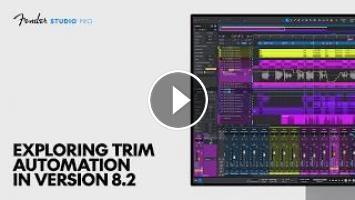
Trim Automation in Fender Studio Pro 8.2 closes the gap on professional automation workflows, giving you an intuitive way to dial in your mix.
In this video, Studio Pro Product Specialist Gregor Beyerle walks through Trim Automation workflows and shows how to quickly shape your mix, from subtle fixes to big moves across a whole section.
What else is new in Version 8.2?
• Dim Solo Mode: Rather than muting out all other tracks in your mix, Dim Solo Mode helps you focus on one track without losing the context you need while dialing in vocals, drums or anything else.
• Extended Stem Separation: You can now isolate two additional stems—guitar and piano—giving you greater flexibility for replacing performances, transcribing audio to MIDI, creative sampling and much more.
• Vocal Tune Improvements: Real-time performance to stay in key and in the moment. The new Follow mode reads key and scale changes straight from your Signature Track, and Low Latency mode helps you monitor performance in real time.
• Multiple Marker Tracks: Keep every cue in its place. Mark video cue points on one track and musical sections on another, so your markers hold their position through tempo changes.
Learn more and get started: https://www.fender.com/pages/fender-studio-pro
In this video, Studio Pro Product Specialist Gregor Beyerle walks through Trim Automation workflows and shows how to quickly shape your mix, from subtle fixes to big moves across a whole section.
What else is new in Version 8.2?
• Dim Solo Mode: Rather than muting out all other tracks in your mix, Dim Solo Mode helps you focus on one track without losing the context you need while dialing in vocals, drums or anything else.
• Extended Stem Separation: You can now isolate two additional stems—guitar and piano—giving you greater flexibility for replacing performances, transcribing audio to MIDI, creative sampling and much more.
• Vocal Tune Improvements: Real-time performance to stay in key and in the moment. The new Follow mode reads key and scale changes straight from your Signature Track, and Low Latency mode helps you monitor performance in real time.
• Multiple Marker Tracks: Keep every cue in its place. Mark video cue points on one track and musical sections on another, so your markers hold their position through tempo changes.
Learn more and get started: https://www.fender.com/pages/fender-studio-pro
- Категория
- AI для YouTube & Shorts
Выполните вход или зарегистрируйтесь для отправки комментария.
Комментариев нет.
Следующее
Auto
-
03:52

Gemini Pro FREE for 12 Months! | Google Ai Pro Plan For Free
-
09:19
Building an Offline AI YouTube Automation Studio | Day 1
-
00:26
Inside Christopher Ryan Mc Kenney: Exploring LoRA
-
20:58
ChatGPT Plus vs Claude Pro vs Gemini Pro: The Best $20 AI Plan
-
00:51
FL Studio Automation Trick You NEED to Know
-
12:28
Gemini’s NEW Automation Features Are MIND BLOWING! (NEW AI Studio Use Cases)
-
20:05
Exploring the Weirdest & Most Useful AI Websites (Live Stream)
-
18:21
Flux 2 Pro vs Nano Banana Pro - Which is the Best AI Image Generator
-
21:48
The NEW Google AI Studio FULL Process: Beginner to Pro
-
03:55
Stable Diffusion on MacBook Pro M5 Pro: DiffusionBee Setup, Models & Performance Test
-
13:39

Best AI Tools For Research in 2026 (Beats ChatGPT & 0% Detection)
-
00:37

3 AI tools for programmers
-
00:55

The Best AI Tools For Content Creators
-
00:58

7 AI tools you NEED to try!
-
00:12

Best AI Tools For Hacker
-
11:15

10 Best AI Tools You MUST Try in 2025
-
00:28

The most popular AI tools right now... which one is best?
-
00:36

Best Free AI Tools for Research Papers & Essays | Write Smarter!
-
14:34

Google's NEW AI Tools Will BLOW YOUR MIND | Google I/O 2026
-
00:18

Best FREE AI Tools for Designers | Boost Your Creativity #ai #aitools #graphicdesign #designer
 Загрузка...