

*► COMPLETE AI APP DEVELOPMENT COURSE*
» Enroll Now (Highly Recommended): https://courses.ybtshop.com
» Coupon Code (25% OFF): *YBT25* (First 25 Students Only)
*► Source code + PRD and updates :* https://t.me/You_B_Tech
*Community support app:* https://play.google.com/store/apps/details?id=com.youbtech.youbtech&hl=en_ZA
*Instagram:* https://www.instagram.com/youbtech_ai
*==========================================*
*[ VIDEO DESCRIPTION ]*
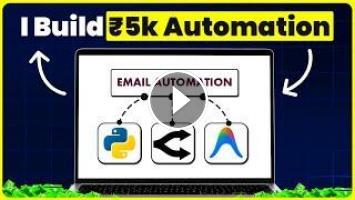
Freelance developers charge thousands of rupees to build a single email automation. In this video, I’ll show you how to build your own fully working Gmail AI Agent completely FREE, without writing a single line of code. This agent can read your inbox, auto-reply based on rules, send scheduled reminders, generate email reports, and run automations 24/7. We use Antigravity for no-code Python development, Google Cloud Console for Gmail API access, and free AI models via OpenRouter. Learn this once and you can build and sell similar automations to clients.
*[ WHAT YOU WILL LEARN ]*
✅ Installing Python & Antigravity
✅ Creating a detailed AI automation PRD
✅ Building a Python Gmail AI Agent with zero code
✅ Setting up Google Cloud Console & Gmail API
✅ Creating OAuth credentials & connecting Gmail
✅ Connecting free AI models with OpenRouter
✅ Creating automation rules, templates & auto-replies
✅ Testing reminders & real-time auto-replies
✅ Generating email reports & analytics
✅ Deploying the agent to run 24/7
*[ DETAILED TIMESTAMPS ]*
0:00 Intro – Developers Charge Thousands for This
0:19 No Coding Required
0:38 Requirements – Installing Python & Antigravity
1:05 Step 2 – Creating a Detailed PRD
1:16 PRD for an Email Automation Agent
1:29 Setting Up Antigravity & New Project Folder
1:41 Selecting Your AI Model (Claude Opus/Gemini)
1:51 Pasting the PRD
2:10 AI Starts Writing the Full Python Backend
2:47 AI Email Agent Ready – Local Host URL
2:58 Login Issue & Fixing Credentials via AI
3:16 Successfully Logged Into Dashboard
3:27 Exploring the Dashboard – Assistant & Reports
3:41 Inbox & Automation Management
3:53 Setting Rules, Training & Email Templates
4:13 Adding Contacts, Reports & Settings Section
4:27 Connecting Email – Access Blocked (Need API)
4:46 Team Management, Backup & Dark Mode
5:00 Connecting Gmail – Google Cloud Console Setup
5:13 Creating a New Google Cloud Project
5:39 Selecting Your New Project
5:49 APIs & Services – Enabling Gmail API
6:14 Setting Up OAuth Consent Screen & App Info
6:32 Selecting External Audience & Creating Consent Screen
6:51 Adding Test Users
7:02 Creating OAuth Client Credentials
7:12 Selecting Web App Type & Redirect URLs
7:29 Downloading JSON Credentials File
7:44 Applying Credentials via Antigravity (No Code)
7:58 Copying the Authorized Redirect URL
8:08 Adding Redirect URL to Google Cloud
8:27 Saving the Google Cloud Setup
8:39 Waiting for API & Connecting Your Gmail
8:57 Granting Permissions – Email Connected!
9:16 Why You Still Need an AI Model
9:26 Creating a Free OpenRouter API Key & Models
9:54 Connecting the Model Provider to Your Agent
10:08 Setting a Primary & Backup Model
10:30 Testing the AI Connection & Asking for a Report
10:54 Setting Up a Test Automation
11:10 AI Confirms the Automation Setup
11:25 Verifying the Test Email
11:36 Automation Running in the Background
11:46 Exploring Dashboard Analytics
11:54 Generating Full Email Reports
12:13 Manual vs Automatic Automation Creation
12:37 Creating an Automation with a Simple Prompt
13:01 Automation Created & Saved
13:12 Testing the Auto-Reply as a Subscriber
13:27 Reply Received Within 2 Minutes
13:47 Setting Up More Custom Automations
14:02 Full Working Gmail AI Agent – Recap
14:13 How to Deploy This 24/7
14:35 Suggest Improvements in the Comments
14:45 Source Code & PRD in Description
*==========================================*
*► CONNECT WITH ME:*
» YouTube: https://youtube.com/@You_B_Tech
» GitHub: https://github.com/YouBTech01
» Blog: https://ybtshop.com
*==========================================*
*[ LATEST TUTORIALS ]*
» ₹25,000 eCommerce Website for FREE: [Link]
» Kimi K3 vs Claude – AI Coding Model Battle: [Link]
» I Built a Client's Mobile Game in 3 Hours: [Link]
» Laguna XS 2.1 – Free AI Coding Model: [Link]
» Learn AI App Development in 15 Days: [Link]
*[ RELATED TUTORIALS ]*
» Full eCommerce App & Web: https://youtu.be/RnElwUEigI8
» AI Web Dev Masterclass: https://youtu.be/CFMbWinPAHg
» Website to Android App: https://youtu.be/rWipnQ0IehQ
» Windows App with Flutter & AI: https://youtu.be/9lOUI1hff1I
*[ MORE TUTORIALS FOR BEGINNERS ]*
» Best Free AI Coding Tools: https://youtu.be/kvPrUloMmnA
» Flutter UI from PRD Guide: https://youtu.be/ZRE6w7tLEmE
» Gemini Agent Mode Tutorial: https://youtu.be/0N5FW5IwJD4
*==========================================*
*If you found this video helpful, please Like, Share, and Subscribe!*
Thanks for watching!
» Enroll Now (Highly Recommended): https://courses.ybtshop.com
» Coupon Code (25% OFF): *YBT25* (First 25 Students Only)
*► Source code + PRD and updates :* https://t.me/You_B_Tech
*Community support app:* https://play.google.com/store/apps/details?id=com.youbtech.youbtech&hl=en_ZA
*Instagram:* https://www.instagram.com/youbtech_ai
*==========================================*
*[ VIDEO DESCRIPTION ]*
Freelance developers charge thousands of rupees to build a single email automation. In this video, I’ll show you how to build your own fully working Gmail AI Agent completely FREE, without writing a single line of code. This agent can read your inbox, auto-reply based on rules, send scheduled reminders, generate email reports, and run automations 24/7. We use Antigravity for no-code Python development, Google Cloud Console for Gmail API access, and free AI models via OpenRouter. Learn this once and you can build and sell similar automations to clients.
*[ WHAT YOU WILL LEARN ]*
✅ Installing Python & Antigravity
✅ Creating a detailed AI automation PRD
✅ Building a Python Gmail AI Agent with zero code
✅ Setting up Google Cloud Console & Gmail API
✅ Creating OAuth credentials & connecting Gmail
✅ Connecting free AI models with OpenRouter
✅ Creating automation rules, templates & auto-replies
✅ Testing reminders & real-time auto-replies
✅ Generating email reports & analytics
✅ Deploying the agent to run 24/7
*[ DETAILED TIMESTAMPS ]*
0:00 Intro – Developers Charge Thousands for This
0:19 No Coding Required
0:38 Requirements – Installing Python & Antigravity
1:05 Step 2 – Creating a Detailed PRD
1:16 PRD for an Email Automation Agent
1:29 Setting Up Antigravity & New Project Folder
1:41 Selecting Your AI Model (Claude Opus/Gemini)
1:51 Pasting the PRD
2:10 AI Starts Writing the Full Python Backend
2:47 AI Email Agent Ready – Local Host URL
2:58 Login Issue & Fixing Credentials via AI
3:16 Successfully Logged Into Dashboard
3:27 Exploring the Dashboard – Assistant & Reports
3:41 Inbox & Automation Management
3:53 Setting Rules, Training & Email Templates
4:13 Adding Contacts, Reports & Settings Section
4:27 Connecting Email – Access Blocked (Need API)
4:46 Team Management, Backup & Dark Mode
5:00 Connecting Gmail – Google Cloud Console Setup
5:13 Creating a New Google Cloud Project
5:39 Selecting Your New Project
5:49 APIs & Services – Enabling Gmail API
6:14 Setting Up OAuth Consent Screen & App Info
6:32 Selecting External Audience & Creating Consent Screen
6:51 Adding Test Users
7:02 Creating OAuth Client Credentials
7:12 Selecting Web App Type & Redirect URLs
7:29 Downloading JSON Credentials File
7:44 Applying Credentials via Antigravity (No Code)
7:58 Copying the Authorized Redirect URL
8:08 Adding Redirect URL to Google Cloud
8:27 Saving the Google Cloud Setup
8:39 Waiting for API & Connecting Your Gmail
8:57 Granting Permissions – Email Connected!
9:16 Why You Still Need an AI Model
9:26 Creating a Free OpenRouter API Key & Models
9:54 Connecting the Model Provider to Your Agent
10:08 Setting a Primary & Backup Model
10:30 Testing the AI Connection & Asking for a Report
10:54 Setting Up a Test Automation
11:10 AI Confirms the Automation Setup
11:25 Verifying the Test Email
11:36 Automation Running in the Background
11:46 Exploring Dashboard Analytics
11:54 Generating Full Email Reports
12:13 Manual vs Automatic Automation Creation
12:37 Creating an Automation with a Simple Prompt
13:01 Automation Created & Saved
13:12 Testing the Auto-Reply as a Subscriber
13:27 Reply Received Within 2 Minutes
13:47 Setting Up More Custom Automations
14:02 Full Working Gmail AI Agent – Recap
14:13 How to Deploy This 24/7
14:35 Suggest Improvements in the Comments
14:45 Source Code & PRD in Description
*==========================================*
*► CONNECT WITH ME:*
» YouTube: https://youtube.com/@You_B_Tech
» GitHub: https://github.com/YouBTech01
» Blog: https://ybtshop.com
*==========================================*
*[ LATEST TUTORIALS ]*
» ₹25,000 eCommerce Website for FREE: [Link]
» Kimi K3 vs Claude – AI Coding Model Battle: [Link]
» I Built a Client's Mobile Game in 3 Hours: [Link]
» Laguna XS 2.1 – Free AI Coding Model: [Link]
» Learn AI App Development in 15 Days: [Link]
*[ RELATED TUTORIALS ]*
» Full eCommerce App & Web: https://youtu.be/RnElwUEigI8
» AI Web Dev Masterclass: https://youtu.be/CFMbWinPAHg
» Website to Android App: https://youtu.be/rWipnQ0IehQ
» Windows App with Flutter & AI: https://youtu.be/9lOUI1hff1I
*[ MORE TUTORIALS FOR BEGINNERS ]*
» Best Free AI Coding Tools: https://youtu.be/kvPrUloMmnA
» Flutter UI from PRD Guide: https://youtu.be/ZRE6w7tLEmE
» Gemini Agent Mode Tutorial: https://youtu.be/0N5FW5IwJD4
*==========================================*
*If you found this video helpful, please Like, Share, and Subscribe!*
Thanks for watching!
- Категория
- AI для YouTube & Shorts
Выполните вход или зарегистрируйтесь для отправки комментария.
Комментариев нет.
Следующее
Auto
-
00:26

Fix your Gmail spam (unsubscribe to everything) #Gmail #ChatGPT #Claude 
-
09:43
Build Your First AI Agent in 10 Minutes — No Coding
-
56:35
Finally Found an AI Agent Worth Using | Hermes Agent Full Tutorial
-
00:27
Gemini Spark Agent Mode vs ChatGPT Agent 2026 || Best AI Agent for Multi Step Tasks and Automation
-
13:31
Build Your First AI Agent In 13 Minutes (No Coding, Full Tutorial)
-
00:34
Atomic Agent is an open-source AI agent built to automate real computer tasks while running locally
-
00:29
Build an AI agent in minutes with these tools. zero coding. Drag. Drop. Done. #aiagents #aiagent
-
03:28
Top 5 Free AI Agent Tools You Should Use in 2026 | Research, Coding & Workflow Automation
-
22:25
You’re Not Behind (Yet): How to Build Your First AI Agent (Full Guide)
-
20:33
Build a Full-Stack Web App WITHOUT Coding using AI (Antigravity + Claude) – Full Tutorial
-
13:39

Best AI Tools For Research in 2026 (Beats ChatGPT & 0% Detection)
-
00:37

3 AI tools for programmers
-
00:55

The Best AI Tools For Content Creators
-
00:58

7 AI tools you NEED to try!
-
00:12

Best AI Tools For Hacker
-
11:15

10 Best AI Tools You MUST Try in 2025
-
00:28

The most popular AI tools right now... which one is best?
-
00:36

Best Free AI Tools for Research Papers & Essays | Write Smarter!
-
14:34

Google's NEW AI Tools Will BLOW YOUR MIND | Google I/O 2026
-
00:18

Best FREE AI Tools for Designers | Boost Your Creativity #ai #aitools #graphicdesign #designer
 Загрузка...